Urca
A quiet writing surface with a resident critic.
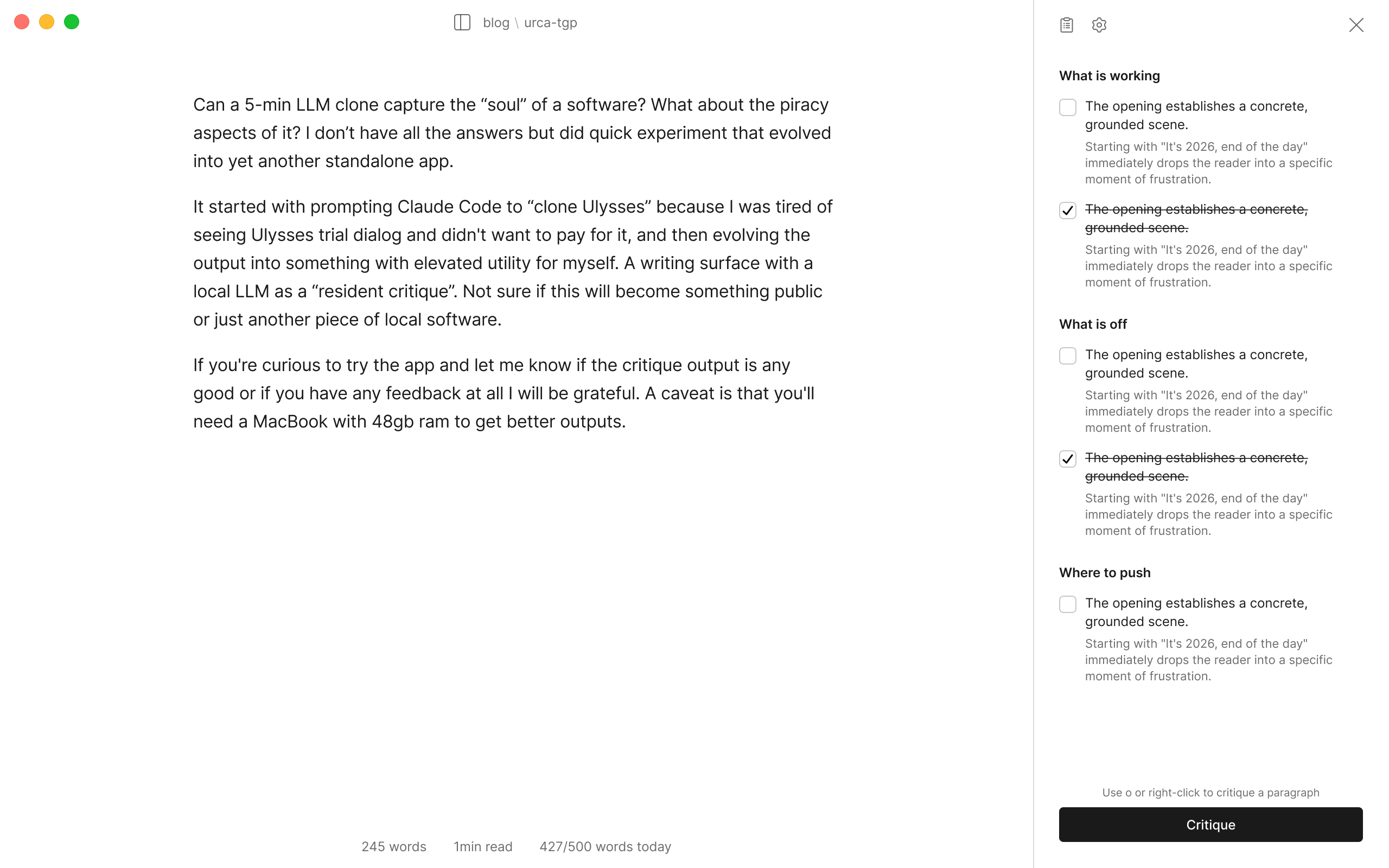
Urca is a markdown writing app with a local LLM critic. It reads your draft and tells you what is working, what is off, and where to push. It never writes for you.
Why
It started as an experiment to ask Claude Code to clone Ulysses. I also wanted to explore what it is like to integrated local LLM models into Swift applications and ended up with a writing surface that made sense (for me).
Details
Urca reads a voice.md file, which should contain your personal guidance, and generates observations on what works, what’s off and where to push.
Your writing stays in a folder you choose. Plain .md files, no database, openable in any other editor. The model runs on your machine. Nothing you write is sent anywhere. Turn off Wi-Fi, write and get feedback.
Requires a Mac with Apple Silicon and at least 16 GB of memory. Signed and notarized, distributed directly rather than through the App Store. macOS 15 or later.
Free while in beta.
FAQ
- Is my writing stored anywhere?
- On your computer in the folder of your choice. The model runs on your Mac. The app makes no network calls except to download the model itself and, once a week, to ask whether a newer version exists — a request for one static file, with no cookies, no identifier and nothing about you. Turn off Wi-Fi, write and get feedback.
- Will it write or rewrite for me?
- No, and that is a choice. The critic outputs are observations based on your draft. You decide what to do with it.
- What is the difference of quality between the smaller and bigger model?
- To get relevant critiques, a larger model (Gemma4 31B) is the best choice. The smaller model (Gemma4 12B) will still produce useful observations, but more generic ones.
- How should I write my voice.md file?
- Be specific. What to leave alone, what to judge your write by, bad habits you want to be aware of and the problems these habits do to the draft. Avoid examples of your own distinct voice/writing as it tends to cause more hallucination.
- Why can’t I choose my own model?
- Because this is an MVP/Beta thing. I spent more time than I should have benchmarking existing models and then finding the balance between size on disk, time to download and quality of outputs.
- What if it keeps saying that there is no memory available to run the model?
- Browsers with many active tabs are usually the culprit. When writing and doing critiques using Gemma4 31B, I have to close Chrome, even on a 48GB MacBook.
- What if I lose text?
- Urca keeps a copy of your document before anything removes a chunk of it. That solves rare cases where folder syncing issues or a file changes outside the app may corrupt a document. They are plain .md files, stored in Urca’s folder on your Mac and never sent anywhere. File ▸ Show Recovered Drafts opens that folder in Finder. When something goes missing Urca will fire a notification when you first launch the app.